CNC Machine Simulation, Verification Software CNC post-processors, CNC simulation software, cnc verification, G- code simulation verification
ICAM Technologies- CNC Simulation, advanced NC post-processing, cnc post-processor, CAM-POST, Post-processor, Virtual Machine, nc post-processing, Control Emulator, CNC postprocessors
ICAM Technologies- advanced NC post-processing, machine tool simulation, cnc post-processor, CAM-POST, post-processor, Virtual Machine, nc post-processing, Control Emulator, cnc postprocessor NC post-processor, advanced cnc Post- processors, CAM-POST, NC post-processor development, ICAM, cnc post-processor, Virtual Machine, postprocessing, machine toll simulation, Control Emulator Technical Tips from ICAM, Post processing Tutorial, CNC Tutorial, Machine Simulation, Postprocessor, G-code simulation, advanced CNC Post- processors for Mastercam Catia, NX, Creo, Mazak, DMG, Makino, HAAS, Siemens CNC Simulation, Custom Multi-axis CNC Post-processors and integrated  G-code simulation verification from ICAM
Technical Tips from ICAM, Post processing Tutorial, CNC Tutorial, Machine Simulation, Postprocessor, G-code simulation, advanced CNC Post- processors for Mastercam Catia, NX, Creo, Mazak, DMG, Makino, HAAS, Siemens
ICAM Home
Software Connecting CAD/CAM to CNC Machines
Post processors, CNC machine simulation for 5 axis machines, advanced CNC G-code simulation verification, collision detection for Mastercam, Catia, NX, Creo, Topsolid users
NC post-processor, advanced cnc Post- processors, CAM-POST, NC post-processor development, ICAM, cnc post-processor, Virtual Machine, postprocessing, machine toll simulation, Control Emulator
CNC Simulation, NC post-processor for Mastercam, advanced cnc Post- processors, CAM-POST, NC post-processor development, ICAM, cnc post-processor, Virtual Machine, postprocessing, machine simulation, Control Emulator NC post-processor, advanced cnc Post- processors, CAM-POST, NC post-processor development, ICAM, cnc post-processor, Virtual Machine, postprocessing, machine toll simulation, Control Emulator ICAM develops Custom Multi-axis NC post-processors, integrated CNC Simulation, G-code Simulation verification solutions supporting lathe, mill, advanced mill, rotary mill , mill-turns CNC Simulation, NC post-processor for Mastercam, advanced cnc Post- processors, CAM-POST, NC post-processor development, ICAM, cnc post-processor, Virtual Machine, postprocessing, machine simulation, Control Emulator NC post-processor, advanced cnc Post- processors, CAM-POST, NC post-processor development, ICAM, cnc post-processor, Virtual Machine, postprocessing, machine toll simulation, Control Emulator CNC Simulation, NC post-processor for Mastercam, advanced cnc Post- processors, CAM-POST, NC post-processor development, ICAM, cnc post-processor, Virtual Machine, postprocessing, machine simulation, Control Emulator NC post-processor, advanced cnc Post- processors, CAM-POST, NC post-processor development, ICAM, cnc post-processor, Virtual Machine, postprocessing, machine toll simulation, Control Emulator CNC Simulation, NC post-processor for Mastercam, advanced cnc Post- processors, CAM-POST, NC post-processor development, ICAM, cnc post-processor, Virtual Machine, postprocessing, machine simulation, Control Emulator

CNC Simulation, NC postprocessors from ICAM

Did you know that ICAM allows you to integrate your post-processor within Creo-NC?

In order to set up CAM-POST to run within Creo-NC, you must run the following application:
Start > Programs > ICAM Productivity Tools V20 > Setup > Kits >PTC

The “ICAM Integration to PTC Pro ENGINEER Setup“ dialogue appears. This dialogue has four tabs:
The “General” tab contains two sections: ICAM Software and Database. The first is used to specify which version of CAM-POST should be used. The second allows you to select the default database to be used when running an ICAM post-processor within Creo-NC. Verify that all required post-processors, Virtual Machine models and Control Emulators are present in the selected database.

The “PTC ProE” tab specifies the full path of the Creo Parametric executable file and the processor architecture (either 32-bit or 64-bit). 

The Startup Folder field requires the full path of the directory where Creo Parametric starts from. If Creo is started from an icon on the desktop or a startup shortcut, edit the the icon or shortcut properties and copy the path shown in the Start In field.

The ”GENER” tab allows you to choose the default interface mode (i.e. full interface, progress bar or minimized) to be used when running GENER, as well as the interface kit to be used (either ProNC or Automatic).

The utility analyses the previously-selected database and creates a Post pull-down list of all the post-processors it contains.  Selecting a post will enable the “Install/Update” button, which you can then click to install the post-processor. If a “config.pro” configuration file is present in the specified start-up folder, the utility will add the following lines to the configuration file:
    ncpost_type ncpost
    campost_dir C:\Program Files\ICAM V20\kit\ProNC\Win64\

When done, the following message will appear:
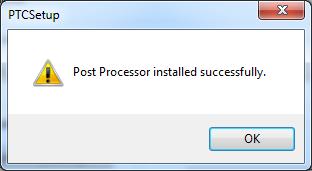
Clicking the “Install PTC Extractor” button on the right will generate a file named “protk.dat” in the start-up folder.
When done, the following message will appear:
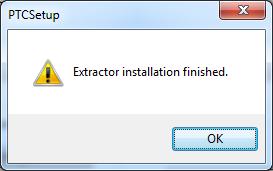
Finally, the ”CERUN” tab allows you to select the default interface mode (i.e. full interface, progress bar or minimized) to be used when running CERUN, if applicable.


Benefit to User

Post-processing directly from the CAM system simplifies and speeds NC code generation.

For more information or comments, please do not hesitate to contact Phil at TechTipTuesday@icam.com


CNC simulation and verification software, NC post-processing, CAM-POST, cnc post-processors, Virtual Machine, post-processor, Control Emulator, Advanced post-processor, dedicated custom post processor